
Smart Home Hub: Centralize the Management of Your Devices
Learn how to centralize the management of your smart devices with Home Assistant and simplify your daily life at home.
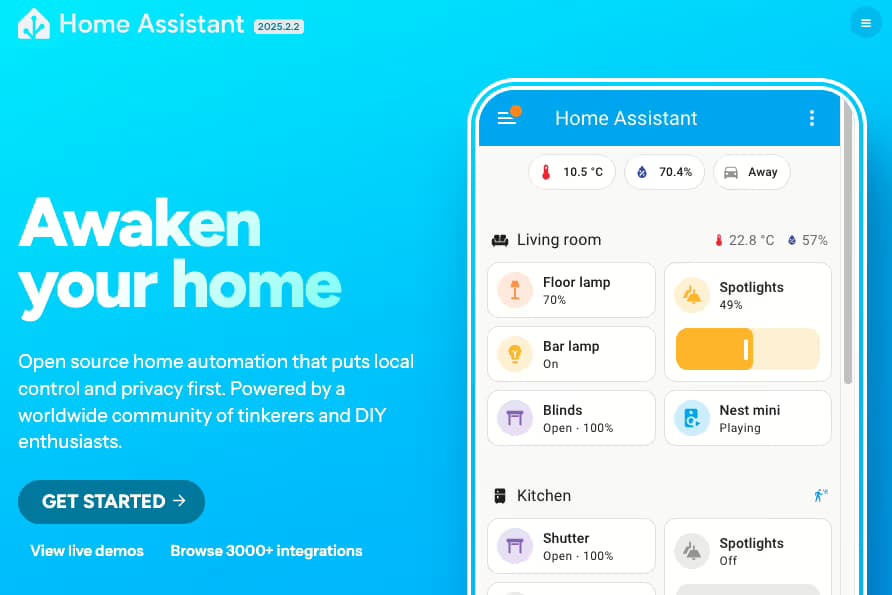
Increasing automation in your home, installing devices or automated systems is a real plus in managing your living space. However, unless you work with a single brand, and even then, each system offers its own way of managing devices, and each comes with its own app.
For example, if you have Philips Hue smart bulbs, you need to manage them with the Hue app. If you have a Netatmo smart thermostat, you need to manage it with the Netatmo Energy app. And so on, your phone quickly becomes filled with apps.
Google Home and Apple Home
Google and Apple obviously have a solution to this problem, as long as the apps are compatible, you can centralize your various devices and manage them from a single interface. These apps are quite intuitive and already provide a unified management interface. However, it requires that they are well compatible and integrable. On the other hand, if, like me, you want to go further, these apps can quickly become limited, whether in display or in compatibility with various devices.
One app to rule them all
After browsing the internet a bit, one management app stands out and seems to be THE reference in this field, Home Assistant. Home Assistant is an open-source application, therefore free, dedicated to the centralization and management of your home's automation.
The goal of this application is to integrate all your smart home systems and allow you to view, control, and manage them from a single interface. Moreover, it also allows you to manage your automation more finely and create management dashboards, "scenes," and automations. In short, scenes are a set of actions that execute based on defined conditions: "When I turn on the hallway light, turn on the office light, turn on the power strip, and turn on the decorative LED strip in the office" "When I turn off the hallway light, turn off the office light, the power strip, and the decorative LED strip in the office" Automations can be, for example, "When I leave the house, turn off all the lights in the office."
Supported by a large community of developers, it is possible to integrate almost all the smart home systems you want. And thanks to this community, you can almost always find answers to your questions.
This application needs to be run and hosted somewhere, so it must be installed on a server to be available on your network.
The Smart Home Hub
There are pre-installed hubs available for purchase, which you can buy, plug in, and start configuring Home Assistant right away.
However, my tinkerer side wanted more; I wanted to assemble the hub myself. After searching the internet again, the most widely recommended solution is to use a Raspberry Pi. I will dedicate an article to it as it is a true Swiss Army knife in the IoT (Internet of Things).
The minimum requirements for a functional hub are:
- Raspberry Pi
- 32GB SD card
- 5V power supply for the Raspberry Pi
The idea is to install Home Assistant on the SD card, insert it into the Raspberry Pi, start it up, and you're good to go. However, it is known that it is not advisable to keep an SD card as the main storage space; it is less reliable in the long term and can be corrupted fairly quickly depending on how Home Assistant is used. I would therefore recommend adding a few elements to this list to create a more reliable hub in the long run. So I also added:
- A case
- A card to connect an NVMe SSD
- A 256GB M2 SSD


Once the smart home hub is assembled, what to do next?
Once the hub is assembled, you need to install Home Assistant; there are several guides to help you do this, it’s not very complicated. After installation and commissioning, it’s your turn to play. You then need to configure your smart home environment. In my case, for example, I connected my various devices like my Netatmo smart thermostat and its connected valves, my Sonoff ZB Mini, and I even created a dedicated integration for my connected oil tank gauge Fullup.
Then I configured and managed my dashboard, which allows me to control my home, but also to see at a glance various information such as (non-exhaustive list):
- The temperature in my living room
- The temperature in our offices
- The level of our oil tank
- The charge level of my car (and its status: locked/unlocked)

And by choice, I configured a second one to manage the various connected lights I have.

In conclusion
To conclude, if you are looking to centralize and optimize the management of your connected home, Home Assistant is clearly a solution to consider. Its open-source nature, flexibility, and compatibility with many devices make it a must-have for anyone wanting to go beyond simple proprietary apps. Of course, you need to get your hands dirty a bit, but once set up, the gain in comfort and control is undeniable. Plus, building your own smart home hub with a Raspberry Pi is also a chance to have some fun and learn a lot. In short, if you are interested in home automation, go for it, you won’t regret it!
